Visual API Design vs. Writing YAML by Hand
Let’s talk about YAML. Specifically, let’s talk about the hundreds (or thousands) of lines of it that make up a typical OpenAPI specification. If you’ve ever spent an afternoon debugging an API spec only to discover the problem was a missing indent on line 247, you already know the pain. OpenAPI is a fantastic standard for describing APIs, but the format it’s written in – YAML or JSON – was never designed for humans to author large, complex documents by hand.
The Apitomy OpenAPI Editor takes a different approach: a visual, form-driven interface where you design your API through structured fields and navigation, not raw markup. Let’s walk through the pain points of hand-editing and how a visual editor solves each one.
Pain Point #1: You Can’t See the Forest for the Trees
An OpenAPI spec of any real complexity is long. A moderately-sized API with 15-20 endpoints can
easily hit 1500+ lines of YAML. Finding the specific response schema for GET /users/{id} means
scrolling, searching, and mentally parsing nested structure. Paths contain operations, operations
contain parameters and responses, responses contain media types, media types contain schemas –
it’s turtles all the way down.
The visual editor replaces all that scrolling with a navigation tree. Paths, schemas, and responses are organized in a collapsible sidebar. Click on a path, and you see its operations as tabs. Click on an operation, and its parameters, request body, and responses are laid out in clearly labeled sections.
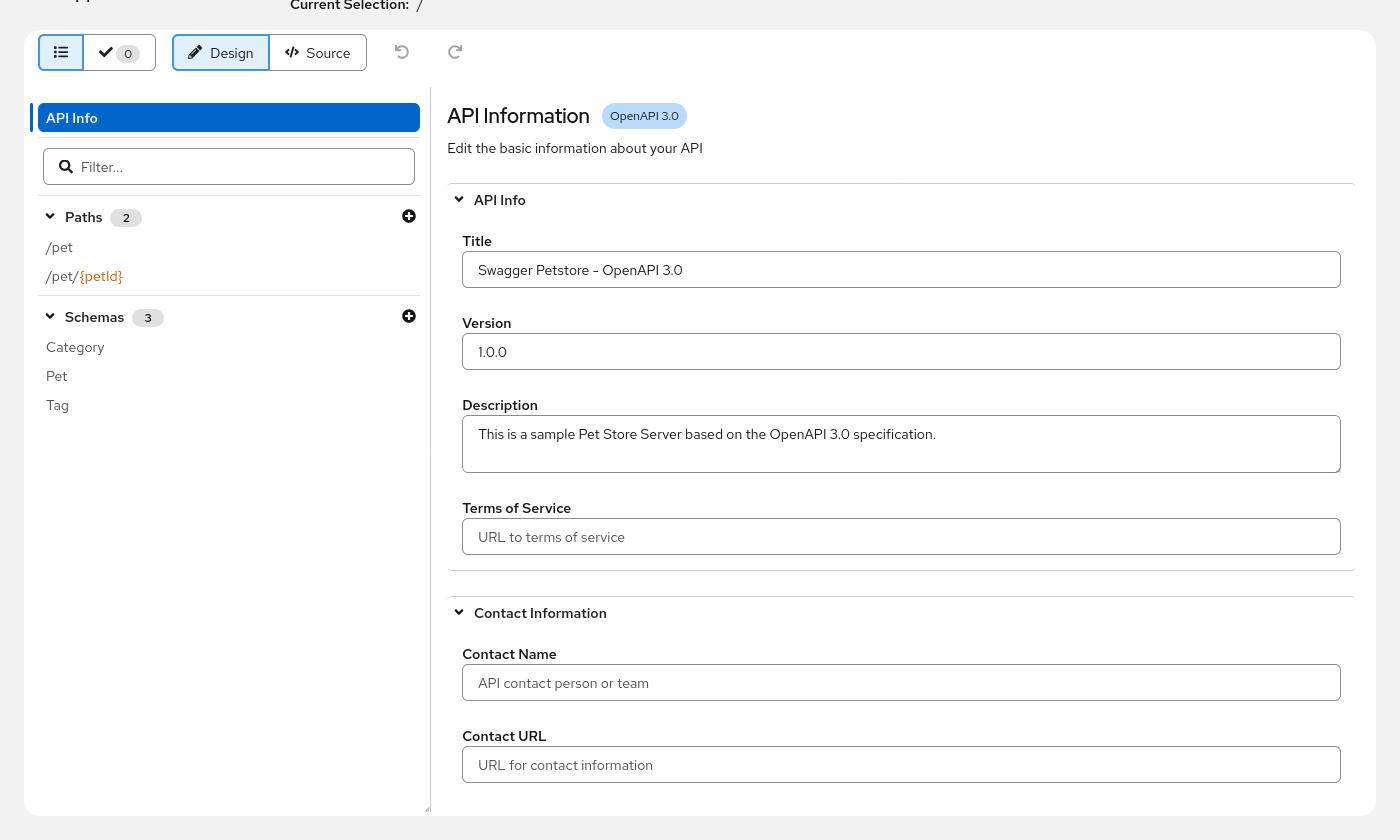
You can always see where you are and jump to where you need to be. No scrolling through YAML
trying to match indentation levels to figure out which description belongs to which response.
Pain Point #2: One Wrong Space Breaks Everything
YAML is indentation-sensitive. Add an extra space, and a property silently moves to a different level of nesting. Remove one, and your carefully structured schema collapses into its parent. The error messages are rarely helpful – “mapping values are not allowed here” doesn’t exactly point you to the offending whitespace.
With the visual editor, indentation isn’t your problem. Each field has a labeled input, and changes are applied through the Data Models library’s structured mutation API. You type a value into a form field, and it ends up in the right place in the document every time.
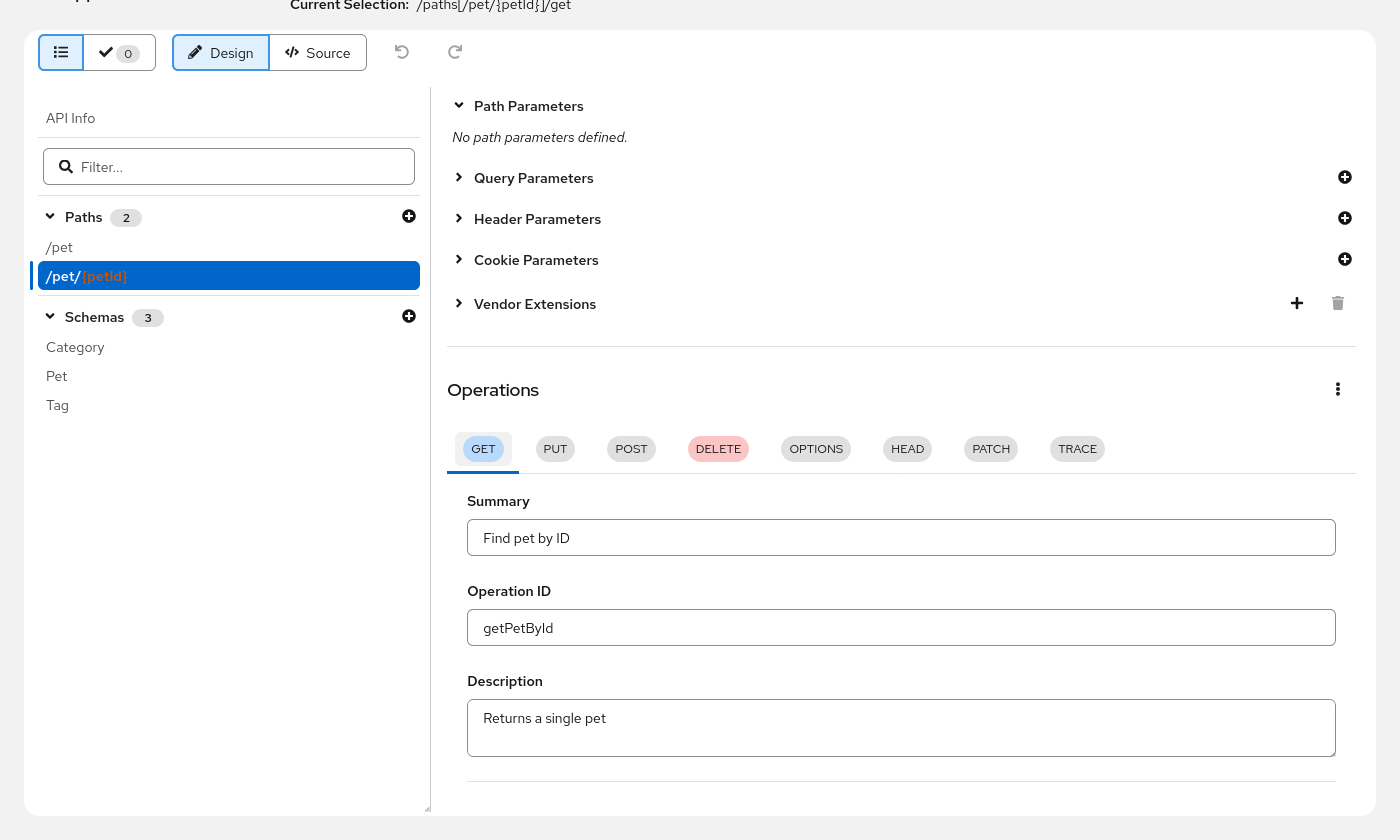
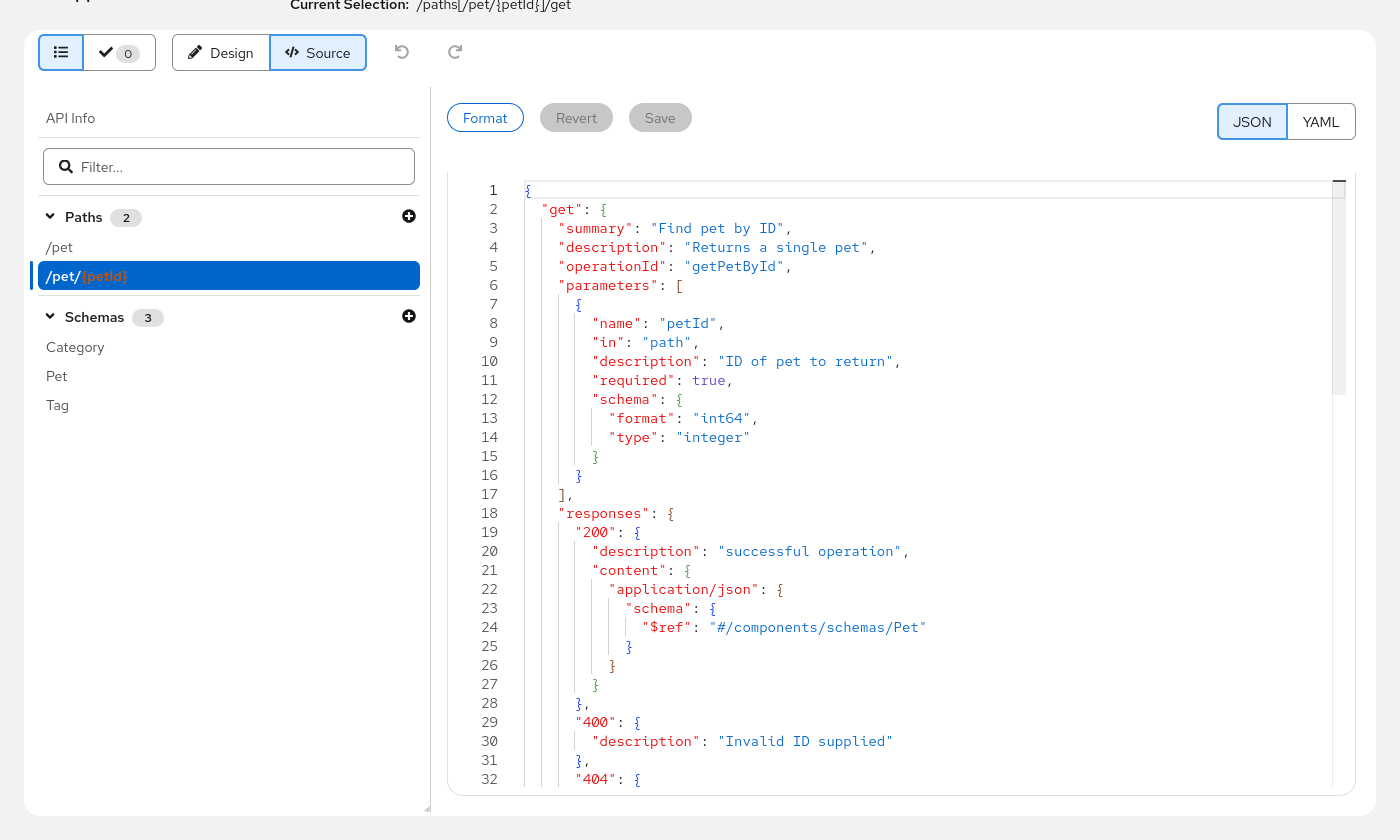
And when you do want to see or edit the raw source (sometimes you just need to), the editor includes a source view toggle that lets you switch between the visual editor and a JSON or YAML code view. You can make a quick edit in source, switch back to design mode, and everything stays in sync.
Pain Point #3: You Don’t Know It’s Wrong Until It’s Too Late
Hand-editing YAML means you usually don’t find out about spec errors until you try to use the document – feeding it to a code generator, importing it into a gateway, or loading it in Swagger UI. By then you might be several edits deep, and tracking down which change introduced the problem is its own adventure.
The visual editor validates your spec as you edit, using the same Data Models validation engine that powers the rest of the Apitomy toolkit. Over 150 validation rules check for missing required fields, invalid references, structural issues, and more. Problems appear in a dedicated validation panel with clickable entries that jump you straight to the offending section.
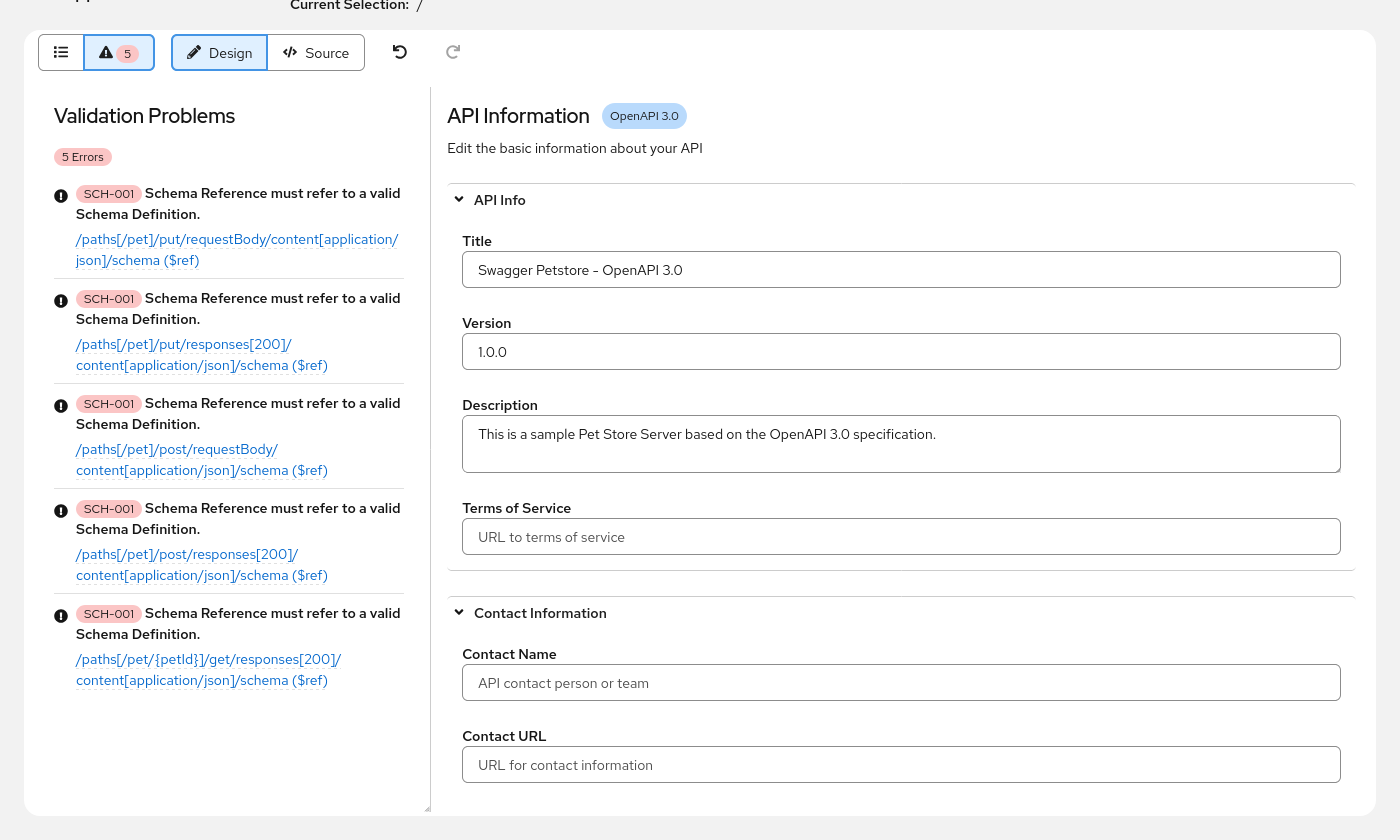
No more “save, run, read error, fix, repeat” cycles. You see problems the moment they’re introduced.
Pain Point #4: Ctrl+Z Doesn’t Work on Your Spec
Here’s a scenario: you’re hand-editing a spec, and you rename a schema. Then you update a few
$ref pointers. Then you realize the rename was wrong. In YAML, you’re reaching for git diff
or manually undoing each change and hoping you don’t miss one.
The visual editor has full undo/redo support – not file-level undo, but operation-level undo built on a command pattern. Rename a schema, update three references, and change your mind? Undo walks it all back, step by step, in the right order. It’s the kind of thing you take for granted in every other editor but desperately miss when you’re hand-editing YAML.
Pain Point #5: Collaboration Means Formatting Conflicts
On any real team, multiple people edit the spec concurrently – that’s just how collaboration works. The problem with hand-editing YAML is that everyone has their own formatting habits. One person uses 2-space indentation, another uses 4. Someone reorders the keys alphabetically, someone else groups them logically. One contributor single-quotes strings, another double-quotes. The API itself hasn’t changed, but git sees conflicts everywhere.
The visual editor solves this with deterministic output. Because every change goes through the Data Models library’s structured mutation API, the serialized document always comes out the same way – consistent key ordering, consistent formatting, consistent structure. When the whole team edits through the visual editor, merge conflicts only happen when two people genuinely change the same OpenAPI component. No more fighting over phantom diffs caused by formatting differences.
When You Still Want the Raw Source
We’re not saying you should never look at YAML again. Sometimes you need to paste in a snippet from documentation, bulk-edit vendor extensions, or just see the raw structure. The source view is always one click away, with syntax highlighting, line numbers, and a JSON/YAML toggle. The visual and source views share the same underlying document model, so switching between them is seamless – no import/export, no copy-paste, no drift.
Try It
The Apitomy OpenAPI Editor is a free, open-source React component you can embed in your own applications. Give it a spin with the live demo and see how it feels to design an API without fighting YAML.